

 Current position > Product detail
『Isoil Flow Meter Manual: Programming Multi-Variable Digital Transmitters』Related information(clamp on meter|electromagnetic meter|venturi meterrotameter|orifice meter|ultrasonic flow meter|mass flow meter|coriolis mass flow meter|coriolis flow meter|magnetic flow meter|magmeter flow meter|magflow flow meter|mag meter flow meter|electromagnetic flow meter|vortex flow meter|turbine flow meter|thermal mass flow meter|thermal flow meter|rotameter flow meter)

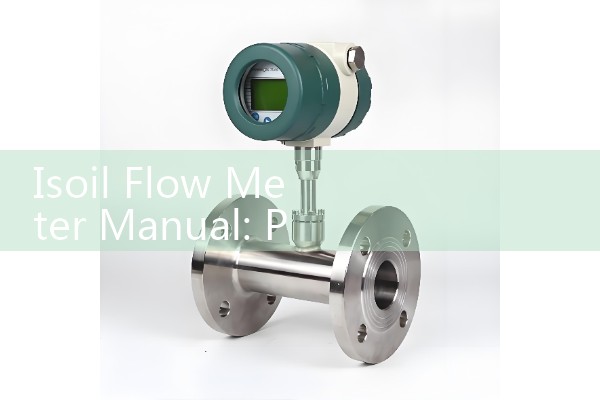
Isoil Flow Meter Manual: Programming Multi-Variable Digital Transmitters
Quick Answer: The Isoil flow meter manual for multi-variable digital transmitters covers power wiring, HART and Modbus setup, output scaling, and totalizer reset. You can program mass flow, volume flow, density, and temperature from the local display or through a HART DD file. Silver Instruments supplies compatible multi-variable transmitters and can pre-program the unit before dispatch.
What the Isoil Multi-Variable Transmitter Handles
A multi-variable digital transmitter on an Isoil flow meter reads more than one process variable from a single sensor. The primary signal is mass flow in kg/h. The transmitter also calculates volume flow, density in kg/m3, and temperature from a PT100 input. That is why a single 4-20 mA HART output can carry the mass flow signal while a second output sends density or temperature to a PLC.
We have seen this on customer sites many times. A plant engineer replaces a standard transmitter with a multi-variable unit and expects only a flow signal. The local display then shows density alarms because the density range was never set. The manual normally asks you to enter the operating density window before starting the totalizer.
Wiring and Power Checks Before Programming
Use a 24 V DC power supply. The loop resistance for HART needs to be between 250 ohm and 500 ohm. If you use a PLC input without a 250 ohm resistor, HART communication will drop out. The temperature input requires a PT100 3-wire connection. A two-wire connection reads high by 2 to 3 °C when the cable length exceeds 10 m. For hazardous areas, select an ATEX Zone 1 housing and use an M20 cable gland with the correct flame path.
Most engineers skip this part and then wonder why the 4-20 mA signal jumps. Check the earth connection first. A floating shield causes noise on the mass flow output. Tie the shield at the panel side only, not at the sensor side.
Setting Flow Range, Density Window, and Totalizer
Open the setup menu by holding the Enter button on the local display for 5 seconds. The default password on many Isoil units is 0000. Some custom orders use 1234. Once inside, set the mass flow range first. For a DN25 Coriolis sensor on a chemical dosing line, a typical range is 0 to 3000 kg/h. The same menu works for DN15 to DN200 sensors. The low flow cutoff should be around 0.1 percent of the full range to stop totalizer counting at zero flow.
Set the density window next. For a solvent with density 0.86 g/cm3, set the alarm band to 0.75 to 0.95 g/cm3. A paint manufacturer in Southeast Asia used this band to detect air slugs in a batch line. The transmitter stopped the batch at 0.80 g/cm3 and prevented a short fill.
HART and Modbus Output Scaling
The HART primary variable usually maps to mass flow. Set the upper range value to your maximum kg/h. If the PLC expects 4 mA for zero and 20 mA for 5000 kg/h, enter 5000 as the upper range. The secondary variable can be density or temperature. Some plants send density on the same HART digital signal and leave the second 4-20 mA channel for temperature.
If you use RS485 Modbus RTU, the default address i
Common Error Codes and Field Fixes
An E01 code normally means sensor overrange. Reduce the flow or check for gas in a liquid line. An E02 code points to a PT100 open circuit. Here is the thing. Most PT100 faults are wiring faults, not sensor faults. Check the terminal block first because loose screw terminals cause most PT100 faults. An E03 code is often an empty pipe. Raise the low flow cutoff to 0.12 m/s and change the empty pipe detection delay to 3 seconds.
Last year a customer in Vietnam asked us why the mass flow reading stayed at 0.0 kg/h at no flow. The transmitter was not faulty. The empty pipe detection was too sensitive. After the delay change the reading settled within 10 seconds. We have seen the same issue on desalination plants in the Middle East where air bubbles pass through the sensor after backwash cycles.
Replacement and Calibration Support from Silver Instruments
If you lose the original Isoil flow meter manual, the menu structure is usually printed on the inside of the terminal cover. Silver Automation Instruments supplies compatible multi-variable digital transmitters for Isoil flow meter upgrades and repairs. We can pre-program the unit for your process before dispatch. Send us your pipe size in DN, fluid type, flow range in kg/h, temperature in °C, pressure in bar, and communication type such as 4-20 mA HART or RS485 Modbus RTU.
For calibration service or a same-size replacement, contact Silver Automation Instruments. Tel: +86-135-1213-1526, WhatsApp: 86-135-12131526, WeChat: +86 13512131526. We need the original sensor model, the process fluid viscosity in cP, conductivity in µS/cm if the fluid is water-based, and the normal operating density in kg/m3 if you have it.
FAQ: Five Programming Questions
Can I program an Isoil multi-variable transmitter without the original manual? Yes. Use the local display menu and the Enter button password. If the display is damaged, connect a HART modem and use the DD file in PACTware or AMS.
What power supply does the multi-variable transmitter need? A 24 V DC supply with at least 100 mA current capacity. For HART loops, maintain a loop resistance between 250 ohm and 500 ohm.
How do I reset the totalizer on the local display? Go to the totalizer menu, press Enter, select Reset, and confirm with the password. A reset does not change the 4-20 mA scaling.
Why does the density reading drift after startup? This is often a warm-up effect. Wait 15 to 20 minutes after power on. If the drift continues, check the PT100 wiring and the process temperature. A bad earth connection can also cause slow density drift.
Does Silver Instruments supply a compatible replacement for an Isoil multi-variable transmitter? Yes. Silver Instruments supplies configured units with HART, Modbus, pulse output, and ATEX Zone 1 options. Send us the pipe size DN, flow range, and process fluid.